
Use the Mac destination when your spreadsheet, archive, or Obsidian vault lives on a Mac. You configure the selected health metrics, formats, and dates on iPhone; Health.md transfers the captured data and settings to the Mac, which writes the requested files to its selected folder.
This is a direct iPhone workflow. It does not import an existing Apple export.xml archive, and the Mac app cannot read Apple Health on its own. If you already have Apple's archive, start with the Apple Health XML guide.
What you need
- Health.md from the App Store installed on a compatible iPhone and Mac. Check the store for current OS requirements.
- Apple Health records on the iPhone for the day you want, with access authorized for your selected categories.
- Both Health.md apps open and able to connect. Start with nearby devices and local network access; a cellular connection alone cannot discover a nearby Mac.
- A writable destination folder on the Mac. This can be a local folder or a folder inside your Obsidian vault.
Health.md offers free export actions followed by a lifetime unlock. Check the installed app's purchase screen for its current allowance and local price; purchase and restore documentation explains access. No Health.md account is required for this core export workflow.
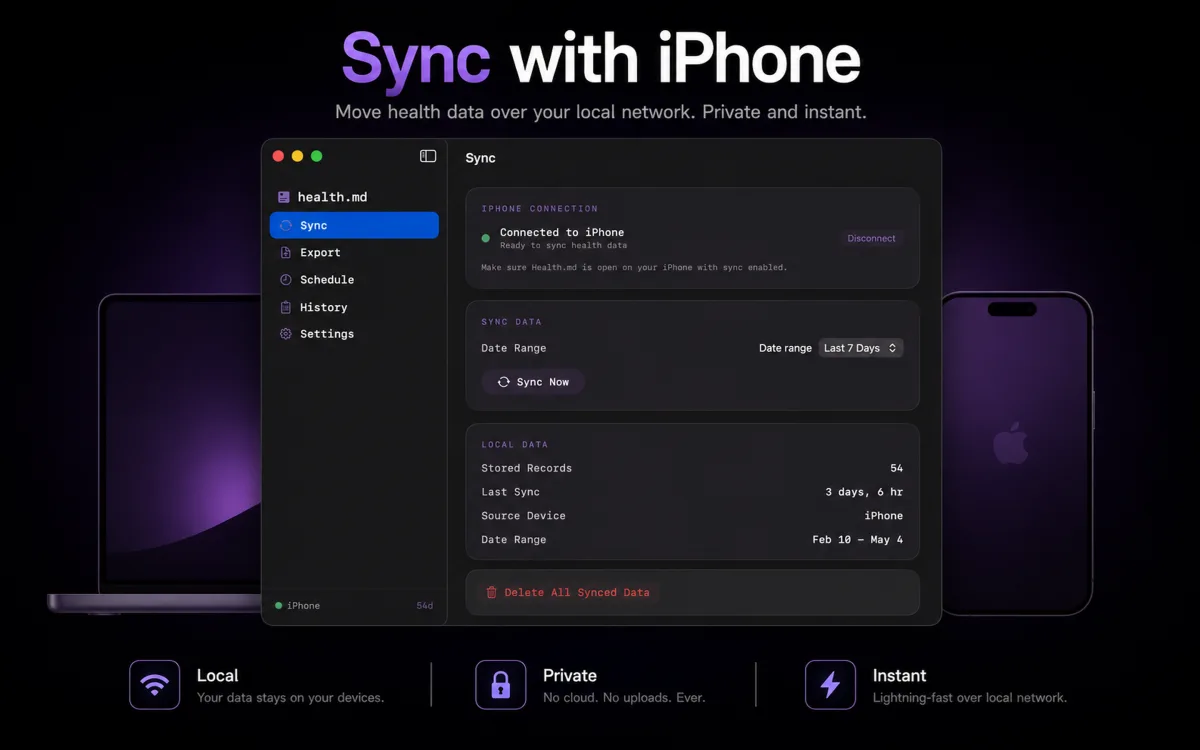
Connect your iPhone and choose the Mac folder
- Open Health.md on the Mac and choose a destination folder. Grant access to that folder when macOS asks.
- On iPhone, open Sync, select Mac Destination, and enable the Mac destination connection.
- Allow local network access when requested. Keep both apps open while they connect.
- Check that the destination is ready. If the Mac needs attention, reopen the Mac app and check its folder access before starting an export.
The folder selected on the Mac owns the final files. Selecting a similarly named folder on iPhone does not select the Mac's destination. The Mac Sync setup guide describes the connection, and the macOS app guide explains destination readiness and history.
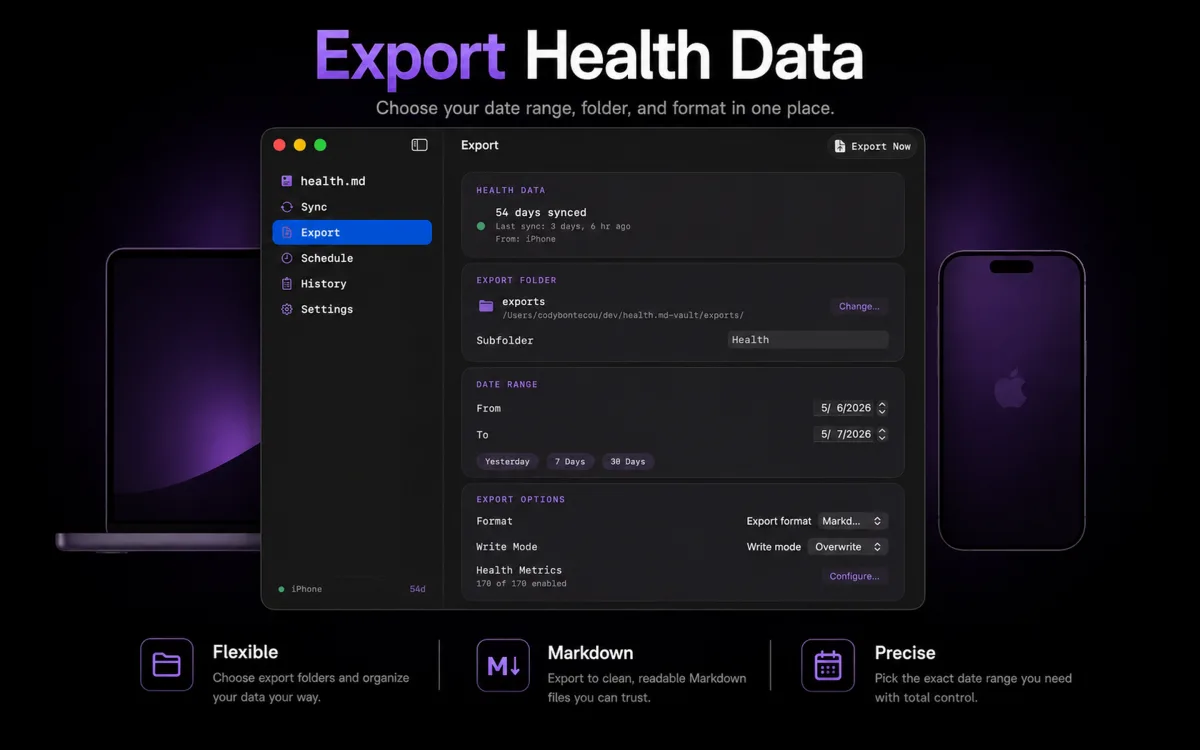
Export one day before a larger backfill
On the iPhone's Export tab:
- Choose Connected Mac as the export target.
- Select Yesterday or a custom completed day that contains known data.
- Select a small metric set, such as Steps, and choose CSV or Markdown as a first format.
- Use Preview to check the selected date, metric, and unit.
- Tap Export Data and review the completion result. On the Mac, open the selected destination folder and inspect the saved file.
The iPhone captures Apple Health data and a snapshot of the effective export settings. The Mac uses that job to render and write the requested formats; it does not independently fetch HealthKit data. Review written, skipped, and failed outcomes rather than treating an idle button as proof of success.
For authorization and metric selection, see the first iPhone export walkthrough. Its local folder example is a separate target; keep Connected Mac selected for this guide.
Choose CSV, JSON, Markdown or Obsidian Bases
| Your next step on the Mac | Format | What to check |
|---|---|---|
| Open data in Excel or another spreadsheet | CSV | Filter the category, metric, and unit before numeric analysis. Value can contain nonnumeric rows. |
| Process the daily export with a script | JSON | Keep dates, units, coverage, and the chosen export detail together. |
| Read health summaries beside a journal | Markdown | Open the generated note and confirm its date and selected metrics. |
| Query note properties in Obsidian Bases | Obsidian Bases | Save inside the vault and configure a Bases view; exported frontmatter does not create the view for you. |
You can enable multiple formats. The synthetic daily CSV sample and JSON sample contain fictional data for inspecting output before sharing your own records.
Follow the Excel import guide for spreadsheet steps, or Apple Health to Obsidian for notes, Bases, and the free starter vault. Importing files into a hosted spreadsheet or another provider shares them with that provider.
Turn daily CSVs into a weekly review
Once the CSV files are on disk, a local script can summarize them without uploading them. Try this step with fictional data before pointing it at your own folder.
Download the weekly CSV review example. It includes a readable Python script, 28 daily CSVs from the spreadsheet sample, instructions, and the expected output. No app or health permissions are needed for the sample. Python 3.9 or later must already be installed; it uses only the standard library.
- Unzip the download and open a terminal in Health.md Weekly Review Example.
- Inspect
weekly_review.py, then run:
python3 weekly_review.py
- Open the generated weekly-review.md in a text editor, Markdown viewer, or Obsidian. Compare it with the included expected-weekly-review.md.
| Sample check | Expected result |
|---|---|
| Calendar dates in the sample | 28 |
| Days with recorded steps | 28 |
| Total steps | 249,630 |
| Days with recorded sleep | 27 |
| Mean recorded sleep | 7.49 hours |
All sample measurements are fictional. Sleep on October 8, 2026 is deliberately missing and is excluded from the average. Recorded zero values stay included. Weeks begin Monday; a different input range can produce a partial first or last week. Inspect the expected weekly review or read the script before downloading the pack.
After checking your own dates, units, metric selection, and destination, use a separate folder of daily summary CSVs:
python3 weekly_review.py --input "/path/to/your/daily-csvs" --output "/path/to/your/weekly-review.md"
The output path is written or replaced on each run. Keep it separate from your source files. The example selects only YYYY-MM-DD.csv files directly inside the input folder, with Activity / Steps / count and Sleep / Total Duration / seconds rows. It rejects duplicate daily totals, timestamped readings, and unexpected units instead of silently mixing them. It does not select combined.csv, rollup files, or nested folders. See the included instructions for the complete input checks.
This is a manual step after files reach disk. It does not pair an iPhone, trigger Health.md, install a folder watcher, or schedule an export. The example was checked with fictional files; it does not establish that your phone-to-Mac transfer succeeded or that Apple Health exposed complete records. Verify that first using the export procedure above. For device scheduling, use the separate scheduling guide; iOS controls background timing.
Check dates, units and the destination
Open one exported file on the Mac and compare a selected metric with the source day in Apple Health. Confirm the format, date, unit, and folder before exporting a longer range.
For sleep summaries, choose the local noon-to-noon journal day. Monday night belongs to Monday's note, including a bedtime after midnight on Tuesday. See sleep dates and daily notes.
A missing value is not zero. Check authorization, metric selection, the requested day, and whether the original data source has synchronized into Apple Health. Daily summaries and detailed source records are different representations; do not add them together as extra measurements. See export formats and detail.
If the Mac is unavailable or no file appears
| What you see | First check |
|---|---|
| No nearby Mac appears | Open both apps, enable the Mac destination on iPhone, and check local network access and device reachability. |
| The Mac needs attention | Check the selected folder in the Mac app and reselect it if write access is unavailable. |
| Preview has data but the Mac folder is empty | Confirm the active iPhone target is Connected Mac, inspect the Mac's actual destination and subfolder, then review written, skipped, or failed results. |
| A file exists but a selected value is absent | Check the source day, selected metrics, authorization, and source synchronization before retrying a larger range. |
Start with the export troubleshooting checklist and folder access guide. Keep the result details when investigating a failed run. Increasing the date range cannot repair an unavailable connection or folder.
Keep the destination under your control
This Mac destination workflow creates no Health.md server copy of your health records. The files go to the folder you select. iCloud Drive, another sync provider, backups, and any app that opens or uploads the files have their own data handling rules. The separate optional Health.md Cloud pilot has different retention boundaries; see the privacy policy.
For a destination without folder sync, use the local export checklist and review backup settings separately.
The Mac app's bundled CLI and MCP features are optional. The standalone direct iPhone CLI preview uses a separate setup and trust path; it is not required for this Mac folder export.